



ERPNext Customization in Saudi Arabia: What Can Be Changed?
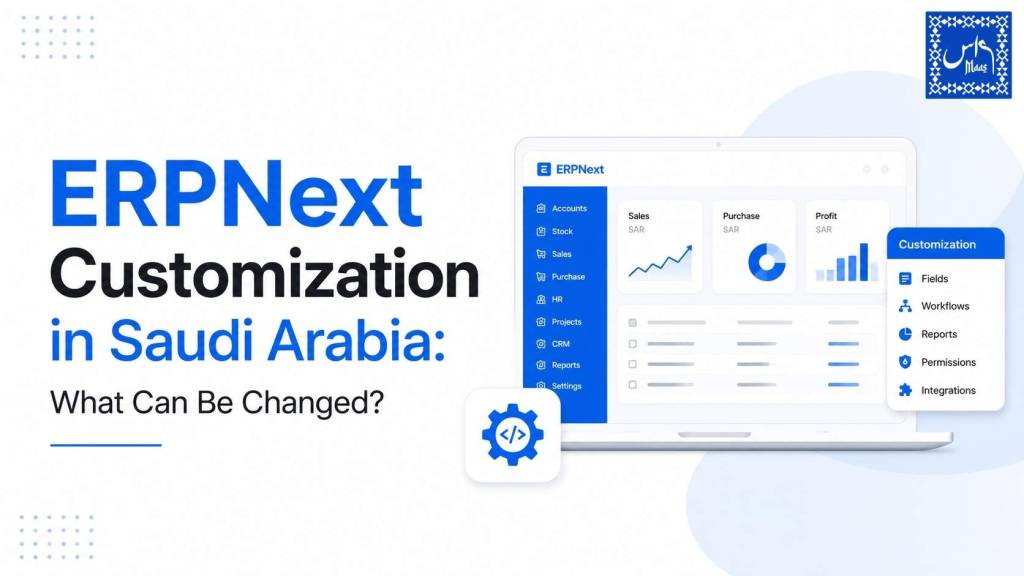
Most businesses that ask about ERPNext customization aren’t asking out of curiosity. They’re usually stuck on something specific: an invoice format that doesn’t match how ZATCA expects it to look, an approval chain that doesn’t reflect how their finance team actually signs off on purchases, or a report that Excel used to give them in two clicks and ERPNext, out of the box, doesn’t.
That’s a fair place to start. ERPNext, built on the Frappe framework, ships as a genuinely capable ERP out of the box, but “out of the box” and “fits your business exactly” are two different things, especially once ZATCA e-invoicing, Arabic-first workflows, and Saudi-specific approval hierarchies enter the picture.
This guide answers the question in the title as directly as possible: what, specifically, can be changed in ERPNext, how each type of change is done, what it costs to think about (not fixed prices, but the real cost drivers), and where Saudi businesses most often need customization that generic ERP content never covers.
Quick Answer
ERPNext customization covers seven broad categories: custom fields and forms, custom print formats (including ZATCA-compliant invoices), client and server scripts for automation, workflows and approval chains, custom reports and dashboards, role-based permissions, and fully custom Doctypes or apps built on the Frappe framework. Most Saudi businesses need a combination of the first five; only businesses with genuinely unique processes (specialized manufacturing, niche trading models, or regulatory reporting outside standard modules) need custom app development.
Key Takeaways
- ERPNext customization ranges from simple, no-code changes (custom fields, print formats) to full custom application development on the Frappe framework.
- Configuration, customization, and custom development are three different things with three different risk and cost profiles, and mixing them up is the most common mistake we see.
- ZATCA Phase 2 requirements can largely be met through customization of print formats, custom fields, and server-side validation, not by replacing ERPNext.
- Poorly planned customization is the single biggest cause of painful ERPNext version upgrades. Good customization is built to survive them.
- Cost depends on customization type, complexity, and whether it touches core Doctypes or stays in the customization layer, not on a fixed package price.
What Does “ERPNext Customization” Actually Mean?
Definition: ERPNext customization is the process of modifying fields, forms, documents, workflows, permissions, reports, or code within an ERPNext instance so the system reflects how a specific business actually operates, without altering ERPNext’s core source code.
That last part matters more than most agencies explain. There’s a real difference between three things people casually lump together:
Configuration is turning existing ERPNext settings on or off, no code involved. Enabling multi-currency, setting up a new warehouse, adjusting a numbering series. Every ERPNext implementation involves configuration.
Customization is adding or adjusting things through Frappe’s built-in customization layer, custom fields, custom print formats, client scripts, server scripts, custom workflows, without touching ERPNext’s core files. This is safe, supported, and upgrade-friendly when done properly.
Custom development is building new Doctypes, new modules, or entirely new applications on top of the Frappe framework to handle processes ERPNext doesn’t natively support. This is more involved, costs more, and needs a developer who understands Frappe’s architecture, not just its interface.
The mistake we see most often, having worked through more than 2,000 ERP implementations across the region, is businesses (or their previous vendor) editing ERPNext’s core code directly to force a fix. It works in the moment. It breaks on the next version upgrade. Everything below in this guide stays within the customization layer or proper custom app development, not core modification.
What Can Be Customized in ERPNext? A Complete Breakdown
Custom Fields and Forms
The most common and lowest-risk form of ERPNext customization is adding custom fields to existing Doctypes (ERPNext’s term for a data record type, whether that’s a Sales Invoice, Customer, or Purchase Order). A trading company in Riyadh, for example, might add a “Municipality License Number” field to the Customer Doctype, or a “Zone” field to the Delivery Note for logistics tracking.
Custom fields can be text, numbers, dates, dropdowns, linked records, or calculated values, and they appear directly in the standard form without disrupting the rest of the layout. This is done through ERPNext’s Customize Form tool and typically requires no custom code at all.
Custom Print Formats
Print formats control how documents look when printed, emailed, or exported as PDF, invoices, quotations, delivery notes, salary slips. This is one of the highest-impact customization areas for Saudi businesses specifically, because ZATCA invoices need bilingual (Arabic/English) layouts, a compliant QR code, VAT breakdowns, and specific formatting that ERPNext’s default templates don’t fully cover without adjustment.
Print formats can be built using ERPNext’s drag-and-drop Print Format Builder for simpler layouts, or with Jinja templating for full control over bilingual formatting, conditional fields, and branding.
Client Scripts and Server Scripts
Client scripts run in the browser and control real-time form behavior, hiding a field until a condition is met, auto-filling a value, validating an entry before submission. Server scripts run on ERPNext’s backend and handle logic like automatic calculations, triggering notifications, or enforcing business rules before a document saves.
A common example: a manufacturing client wants a Sales Order automatically blocked from submission if the customer’s credit limit is exceeded. That’s a server script, not a core code change, and it’s fully reversible and upgrade-safe.
Workflows and Approval Chains
Every Saudi business has its own approval hierarchy for purchase orders, expense claims, or leave requests, and rarely does it match ERPNext’s default single-approver model. ERPNext’s Workflow feature lets you define multi-stage approval chains (department head, then finance manager, then GM, for example), with different actions and permissions available at each stage.
This is one of the most requested customizations we handle, because Saudi organizational structures, particularly in family-owned trading businesses and larger contracting firms, often have three or four sign-off layers that need to be reflected exactly, not approximated.
Custom Doctypes and Custom Modules
When a business process genuinely doesn’t exist in ERPNext’s standard modules, a custom Doctype (essentially a new data table with its own form, permissions, and workflow) can be built. Real examples from our own implementation work include a custom “Project Site Visit” Doctype for a contracting company tracking site inspections, and a custom “Rental Contract” Doctype for a business managing recurring equipment leases that ERPNext’s standard modules didn’t map cleanly to.
This sits closer to custom development than simple customization and is usually where a genuine ERPNext partner, rather than a generalist developer, earns their fee.
Reports and Dashboards
ERPNext ships with strong standard reporting, but businesses frequently need a specific view: a GCC-wide sales breakdown by region, a VAT summary formatted for internal audit review, or an aging report grouped in a way that matches how the finance team already thinks about receivables. Custom Report Builder reports, Query Reports (SQL-based), and Script Reports (Python-based) all fall under this category, alongside custom dashboard charts built from existing data.
Roles and Permissions
Role-based permission customization controls exactly who can see, edit, approve, or delete specific records, down to the field level in some cases. A retail business might need warehouse staff to view stock levels but never see purchase costs. A trading company might need branch managers to approve only invoices from their own branch. ERPNext’s Role Permission Manager and User Permission features handle this without any code.
Notifications and Alerts
Automated email, SMS, or in-system alerts, a low stock warning, an overdue payment reminder, an approval-pending notice, are configured through ERPNext’s Notification feature and can be tied to any condition on any Doctype.
Integrations
Connecting ERPNext to a bank payment gateway, a POS device, an e-commerce storefront, a courier API, or ZATCA’s Fatoora platform for real-time invoice clearance is a customization category of its own, usually handled through Frappe’s REST API or custom API endpoints. This is covered in more detail in our ZATCA Phase 2 compliance guide.
UI, Branding, and Language
Logo placement, color themes, custom login pages, and full Arabic/English bilingual interface toggling are all customizable at the theme and translation level, important for Saudi businesses running bilingual finance teams.
Comparison: Configuration vs. Customization vs. Custom Development
| Type | Example | Coding Required | Upgrade Risk | Typical Turnaround |
|---|---|---|---|---|
| Configuration | Enabling multi-currency, setting numbering series | None | None | Minutes to hours |
| Customization | Custom fields, print formats, client/server scripts, workflows | Minimal to moderate | Low, if done correctly | Days |
| Custom Development | New Doctypes, custom apps, deep integrations | Yes, Frappe/Python expertise | Moderate, managed with proper app structure | Weeks |
| Core Code Modification | Editing ERPNext’s source files directly | Yes | High, breaks on every update | Not recommended |
ERPNext Customization for ZATCA Compliance in Saudi Arabia
This is where generic ERP customization content (including both competitor pages we reviewed while researching this article) falls short for a Saudi audience, because neither addresses regulatory customization at all.
ZATCA’s Phase 2 (Integration Phase) requires invoices to be issued as structured XML with a digital signature, a cryptographic stamp, and a UUID, then transmitted to the Fatoora platform for clearance in real time. Wave 24, the current wave as of mid-2026, brought the compliance threshold down to SAR 375,000 in taxable revenue during 2022, 2023, or 2024, with a hard integration deadline of 30 June 2026.
For an ERPNext instance, meeting this isn’t a matter of replacing the system. It’s customization work across several of the categories above:
- Custom print format logic to generate ZATCA-compliant QR codes and bilingual invoice layouts
- Server scripts to validate invoice data against ZATCA’s required fields before submission
- Custom API integration with the Fatoora platform for real-time clearance and reporting
- Custom fields to capture VAT registration numbers, buyer/seller identifiers, and other ZATCA-mandated data points
We’ve walked more than 800 businesses through ZATCA compliance work, and the pattern holds consistently: the businesses that treat this as an ERPNext customization project, planned properly, finish faster and with fewer post-go-live corrections than those that bolt on a third-party e-invoicing tool as an afterthought. Our full breakdown of requirements and deadlines is in the ZATCA Phase 2 guide.
Industry-Specific Customization Examples in Saudi Arabia
Retail and trading: Custom fields for municipality license tracking, branch-level permission restrictions, POS integration customization, custom loyalty or discount logic through server scripts.
Contracting and construction: Custom Doctypes for site visits and progress billing, multi-stage approval workflows matching project hierarchies, custom reports for retention and variation tracking.
Manufacturing: Custom Bill of Materials fields for region-specific raw material sourcing, workflow customization for quality-check sign-offs before production stages, custom dashboards for shop-floor output tracking.
Healthcare and clinics: Custom fields for national ID and insurance provider data, custom print formats for bilingual patient invoices, role permission customization to restrict clinical data to medical staff only.
Professional services: Custom project billing structures, time-tracking field customization, workflow approval chains for retainer versus project-based invoicing.
How ERPNext Customization Projects Actually Work: Step by Step
- Requirement mapping. A proper scoping conversation, not a generic questionnaire, to understand what’s actually breaking down in the current process.
- Gap analysis. Comparing standard ERPNext functionality against the requirement to identify exactly which category of customization (configuration, customization layer, or custom development) applies.
- Feasibility and impact review. Checking whether the requested change can be built without touching core code, and flagging anything that would create upgrade risk.
- Build and internal testing. Development in a staging environment, never directly in the live/production instance.
- User acceptance testing. The actual finance, sales, or operations team tests the change against real scenarios, not just a demo script.
- Deployment and documentation. Rolling out to production with documentation of exactly what was changed and why, so the next developer (or upgrade) isn’t guessing.
Skipping step 6 is more common than it should be, and it’s usually the reason a business ends up paying twice for the same customization after switching vendors.
Common Mistakes Businesses Make When Customizing ERPNext
- Customizing before configuring. A large share of “we need a custom field for this” requests are actually solved by existing ERPNext settings nobody explored first.
- Editing core files directly to save time, which then breaks silently on the next version update, sometimes months later, when nobody remembers what was changed.
- Requesting customization without documenting the business reason. Six months later, no one remembers why a field exists or whether it’s still needed.
- Treating ZATCA compliance as a bolt-on rather than an ERPNext customization project in its own right.
- Over-customizing early. Adding complexity for edge cases that affect five transactions a year, which then complicates every future upgrade and every new employee’s training.
Best Practices for ERPNext Customization
- Use the customization layer (custom fields, scripts, print formats, workflows) before considering custom development.
- Never modify ERPNext’s core source files; use custom apps for anything that needs to persist across updates.
- Document every customization with the business reason behind it, not just the technical change.
- Test in a staging environment before touching production data.
- Review customizations against each major ERPNext version release rather than assuming they’ll carry over silently.
- Build ZATCA and regulatory requirements into the customization scope from day one, not as a later add-on.
What Does ERPNext Customization Cost in Saudi Arabia?
There’s no honest fixed price for this, and any vendor quoting one number without understanding your Doctype complexity, integration needs, and customization type is guessing. What actually drives cost:
- Customization type: a custom field costs a fraction of what a custom Doctype or integration costs.
- Number of Doctypes and workflows involved: a single-department fix versus a cross-departmental workflow change scale very differently.
- Integration complexity: connecting to ZATCA’s Fatoora platform, a bank API, or a courier system involves more testing and validation than an internal-only change.
- Whether it’s greenfield or applied to an existing, already-customized instance: untangling previous vendor work often adds time.
Rather than pricing tiers, the practical approach is a scoped estimate after a requirement mapping session. If you want a realistic sense of what your specific requirement would involve, our team can walk through it on a discovery call.
ERPNext Customization vs. Other ERP Platforms
| Factor | ERPNext (Frappe) | Odoo | SAP Business One | Microsoft Dynamics 365 |
|---|---|---|---|---|
| Customization approach | Custom fields, scripts, custom apps on Frappe framework | Custom modules on Odoo framework | SDK-based, often requires certified developer | Power Platform/Dataverse customization |
| Licensing model | Open source, self-host or Frappe Cloud | Open source (Community) or paid (Enterprise) | Proprietary licensing | Proprietary licensing |
| Upgrade risk if customized properly | Low | Low to moderate | Moderate | Moderate |
| Typical fit for Saudi SMEs | Strong, especially with ZATCA customization | Strong, similar flexibility | Better suited to larger enterprises | Better suited to Microsoft-ecosystem enterprises |
If you’re still comparing ERP platforms rather than customization specifics, our guide to choosing the best ERP for small businesses in Saudi Arabia covers that decision in depth.
Choosing an ERPNext Customization Partner in Saudi Arabia
A few questions worth asking any Frappe customization partner in Riyadh or elsewhere in the Kingdom before committing:
- Can they show actual custom Doctypes or apps they’ve built, not just configuration work?
- Do they understand ZATCA Phase 2 requirements specifically, or only generic ERP customization?
- Will customizations be documented and built to survive version upgrades?
- Do they work in the customization layer by default, only touching core code when there’s genuinely no alternative?
Generalist developers can handle simple field additions. Genuine ERPNext customization, particularly anything touching workflows, custom Doctypes, or ZATCA integration, benefits from a partner who has done this specifically and repeatedly in the Saudi regulatory context. Our own team has supported ERPNext implementation and customization work across more than 2,000 business engagements in the region; details on our approach are on our ERPNext implementation services page and our ERPNext consultant Saudi Arabia page.
A Practical Example
A Riyadh-based trading company we worked with had three specific problems standard ERPNext didn’t solve: branch managers could see pricing for branches that weren’t theirs, purchase approvals needed a fourth sign-off level for orders above a certain value, and their ZATCA invoice layout needed bilingual formatting that matched their existing brand templates. None of this required custom app development. It was solved entirely within the customization layer: user permission restrictions by branch, an extended workflow with a value-based conditional approval stage, and a custom print format with embedded QR code logic. The entire scope was resolved without a single line of core code touched, which meant the following ERPNext version upgrade went through without disrupting any of it.
Final Thoughts
ERPNext’s flexibility is genuinely one of its strongest arguments over rigid, license-heavy ERP platforms, but flexibility only pays off when customization is planned deliberately: the right category of change, built in the right layer, documented properly, and tested before it touches live data. For Saudi businesses specifically, the ZATCA compliance angle makes this even more consequential, since customization done well here directly determines whether invoicing stays compliant through every future wave and deadline.
If you’re evaluating what can realistically be changed in your own ERPNext setup, or you’re starting from scratch and want customization planned in from day one, our team can walk through your specific requirements. Learn more about our ERPNext implementation and customization services, review our ERPNext implementation guide for Saudi Arabia, or get in touch to scope your project.
Frequently Asked Questions
Can ERPNext be customized without coding?
Yes, for a meaningful range of changes. Custom fields, print format layouts, role permissions, and basic workflow stages can all be configured through ERPNext’s interface without writing code. More advanced logic, conditional validation, custom calculations, or integrations, requires client scripts, server scripts, or custom development.
What is the difference between ERPNext configuration and customization?
Configuration means adjusting existing settings ERPNext already provides, such as enabling a feature or setting up a numbering series. Customization means adding new fields, forms, scripts, print formats, or workflows using ERPNext’s customization layer. Both are different from custom development, which involves building entirely new Doctypes or applications.
Does customizing ERPNext affect future version upgrades?
Not if the customization stays within the supported customization layer (custom fields, scripts, print formats, workflows, custom apps) rather than modifying core source files. Customizations built this way are designed to persist across upgrades. Direct core code edits are the primary cause of upgrade problems.
Can ERPNext be made ZATCA-compliant through customization?
Yes. ZATCA Phase 2 compliance in ERPNext is typically achieved through a combination of custom print formats for QR-coded, bilingual invoices, server-side validation scripts, custom fields for required VAT and identifier data, and API integration with the Fatoora platform. This does not require replacing ERPNext.
How long does ERPNext customization take?
It depends entirely on scope. A custom field or print format adjustment can be completed in days. Workflow changes typically take slightly longer given the need for user acceptance testing. Custom Doctype or app development, or full ZATCA integration, generally runs into weeks depending on complexity and integration requirements.
What does ERPNext customization cost in Saudi Arabia?
There is no fixed package price, and pricing depends on the type of customization (field-level versus custom app development), the number of Doctypes and workflows involved, and integration complexity such as ZATCA or bank connections. A scoped estimate after a requirement mapping session gives a realistic figure; fixed quotes without that step should be treated with caution.
Is it possible to reverse ERPNext customizations later?
Customizations made through the standard customization layer (custom fields, print formats, scripts, workflows) can generally be modified or removed without affecting core system stability. Custom Doctypes and apps require more care to remove cleanly if they’re already tied into other processes or reports, which is why documentation at build time matters.
What’s the difference between ERPNext customization and building a custom module?
Customization typically works within existing Doctypes, forms, and behavior, adding fields, scripts, print formats, and workflows. A custom module or app involves building new Doctypes and business logic for a process ERPNext doesn’t natively support, using the Frappe framework’s app development structure. Custom modules cost more and take longer but are necessary when a genuinely unique business process has no existing equivalent in ERPNext.


3 Comments