



ERPNext Modules Explained: Which Ones Does Your Saudi Business Need?
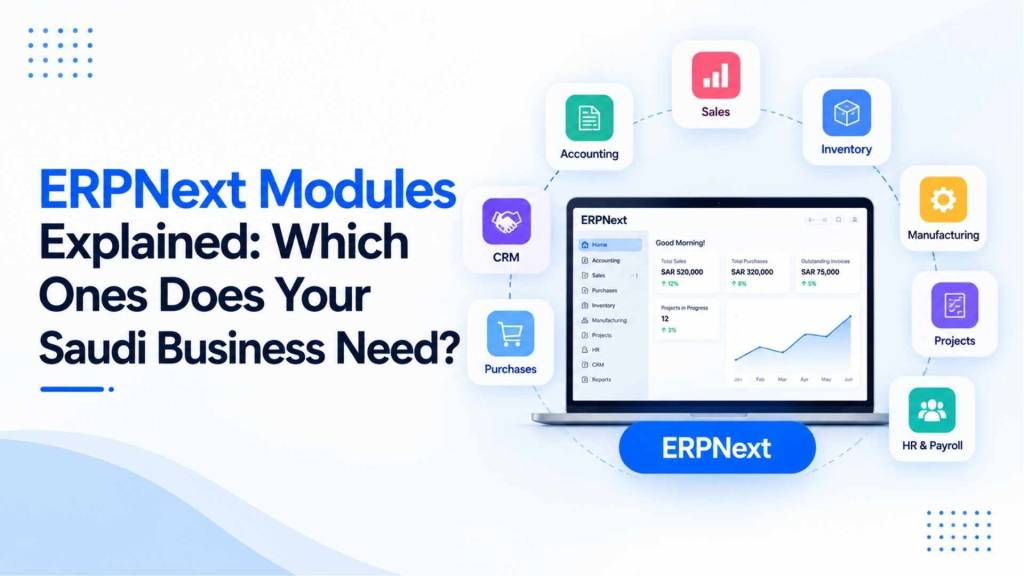
One of the most common mistakes we see in a new ERPNext implementation has nothing to do with the software itself. It is a business turning on every available module from day one because it feels thorough, and then spending the first three months fighting complexity nobody actually needed yet. ERPNext is genuinely modular, and that is a strength, but only if you activate the modules your business actually uses today and add the rest as you grow into them. This guide explains what each core ERPNext module actually does and gives you a practical way to decide which ones belong in your first go-live.
Quick Answer: Which ERPNext Modules Does a Saudi Business Actually Need?
Almost every Saudi business needs Accounting and Stock as a baseline, since these cover ZATCA-compliant invoicing, financial reporting, and inventory tracking. Beyond that, the right module set depends entirely on how the business operates: a trading company adds Sales, Procurement, and CRM; a manufacturer adds Manufacturing, Quality, and Assets; a retailer adds Point of Sale; and a professional services or contracting business adds Projects and HR & Payroll. Very few businesses need all of ERPNext’s modules active at once, and trying to configure everything on day one is one of the more common reasons implementations feel heavier than they need to be.
Key Takeaways
- ERPNext’s official module set, per Frappe’s own product documentation, includes Accounting, Procurement, Sales, CRM, Stock, Manufacturing, Projects, Assets, Point of Sale, Quality, Support, and HR & Payroll.
- Full CRM and HR & Payroll functionality now runs through Frappe’s own companion applications, Frappe CRM and Frappe HR, integrated directly with core ERPNext rather than bundled as a single monolithic system the way older ERPNext versions worked.
- Most businesses only need two to four modules active at go-live. Adding modules in phases as the business genuinely needs them is a better approach than activating everything at once.
- The modules a business needs map directly to its actual operating model, trading, manufacturing, services, or retail, not to how comprehensive the software claims to be.
- Choosing the wrong module scope at implementation is one of the more common reasons a system feels harder to adopt than it should.
ERPNext’s Core Modules Explained
Accounting
Covers the general ledger, accounts payable and receivable, tax and VAT handling, ZATCA-compliant invoicing, financial statements, and multi-currency transactions. This is the foundation almost every business needs regardless of industry. For the Saudi-specific compliance piece, see our ERPNext ZATCA integration guide.
Stock
Manages inventory across multiple warehouses, including batch and serial number tracking, expiry dates, stock transfers, stocktaking, and inventory valuation. Any business carrying physical goods needs this module active, while a pure services business generally does not.
Sales
Handles quotations, sales orders, delivery notes, and sales invoicing, connected directly to Stock and Accounting so an order automatically reflects in inventory and financial reporting without duplicate entry.
Procurement (Buying)
Covers purchase requisitions, supplier management, requests for quotation, purchase orders, and spend analysis, giving visibility into what is being bought, from whom, and at what cost across the business.
CRM
Manages leads, opportunities, and customer relationship tracking. In current ERPNext, full CRM functionality runs through Frappe CRM, a dedicated companion application that integrates directly with ERPNext’s sales and accounting data, rather than a single bundled CRM module the way older versions structured it.
Manufacturing
Covers bills of materials, work orders, routings, and material requirements planning. This module matters specifically for businesses that produce, assemble, or process goods, not for pure trading operations.
Quality
Provides quality inspection templates and checks connected to manufacturing and procurement, relevant for manufacturers and businesses with formal quality control requirements from clients or regulators.
Projects
Manages tasks, milestones, time tracking, Gantt-style project timelines, and project-based billing. This module matters most for contracting, consulting, and project-based service businesses rather than product-based trading companies.
Assets
Tracks fixed assets, depreciation, and asset maintenance schedules, relevant for businesses with meaningful equipment, vehicles, or machinery to manage over time.
Point of Sale
A dedicated retail billing interface built for in-store, counter-based sales, connected directly to Stock and Accounting in real time.
Support
A helpdesk and ticketing module for managing customer or internal support requests with SLA tracking, useful for businesses with an ongoing customer support function to manage.
HR & Payroll
Covers the employee master record and organizational structure within core ERPNext, while full payroll processing, attendance, and leave management run through Frappe HR, Frappe’s dedicated HR application that connects back into ERPNext’s accounting for payroll postings. Businesses evaluating ERPNext specifically for HR should understand this is a companion app relationship, not a single bundled module.
No-Code Builder
A workflow and form builder that lets a business create custom fields, doctypes, and approval workflows without writing code, which is what makes ERPNext genuinely configurable to a specific business process without always requiring a developer.
Which Modules Does Your Business Actually Need?
| Business Type | Core Modules Needed | Modules to Add Later, If Ever |
|---|---|---|
| Trading and wholesale distribution | Accounting, Stock, Sales, Procurement, CRM | Point of Sale (if retail-facing), Assets |
| Manufacturing | Accounting, Stock, Manufacturing, Quality, Procurement, Sales | Projects, Assets |
| Retail with physical stores | Accounting, Stock, Point of Sale, CRM | Projects, Manufacturing (rarely needed) |
| Professional services and consulting | Accounting, Projects, CRM, HR & Payroll | Stock and Procurement (rarely needed) |
| Contracting and project-based operations | Accounting, Projects, Procurement, Assets | Manufacturing, Point of Sale |
| Law firms and legal services | Accounting, Projects, CRM, HR & Payroll | Stock, Manufacturing, Point of Sale (not needed) |
This table reflects the same industry pattern behind our own project experience: our ERPNext implementation work across manufacturing, printing and packaging, legal services, operations and maintenance, and contracting businesses in Saudi Arabia consistently confirms that the right module set is dictated by what a business actually does, not by how much of the platform is technically available.
Why Activating Every Module on Day One Is a Mistake
ERPNext being modular and low-cost to activate does not mean every module should be turned on immediately. Each additional module adds configuration decisions, training scope, and places where something can be set up incorrectly. A business that activates Manufacturing, Quality, Assets, Projects, and full HR on day one, when it only actually needs Accounting, Stock, and Sales to run its current operations, is adding implementation risk and staff training burden for functionality it is not yet using. The better approach is phased: implement the modules your business genuinely operates on today, confirm they are working well, and add further modules as the business’s actual needs grow into them.
A Simple Framework for Deciding Your Module Scope
- List what your business actually does day to day, not what it might do eventually. Buying and selling goods, manufacturing, delivering projects, or providing services.
- Match that list against the module table above rather than a generic “full ERP” checklist.
- Confirm ZATCA and core accounting needs are covered first, since this is the one area every Saudi business needs regardless of what else is in scope.
- Treat additional modules as a roadmap, not a launch requirement. Manufacturing, Assets, and full HR & Payroll can often be added in a second phase once the core system is stable.
- Reassess module scope periodically, since a business that starts as pure trading may genuinely need Manufacturing or Projects a year or two later as it grows.
For a broader look at how this module scoping fits into a full project, see our ERPNext implementation guide for Riyadh and our ERPNext consultant services page.
Common Mistakes When Scoping ERPNext Modules
- Activating every available module at go-live regardless of whether the business currently uses that functionality.
- Skipping Quality or Assets modules for a manufacturer that genuinely needs them, then retrofitting them under production pressure later.
- Treating CRM and HR & Payroll as bundled ERPNext features rather than understanding they run through Frappe’s dedicated companion applications, which affects how they should be scoped and configured.
- Choosing module scope based on what competitors or industry peers use, rather than mapping your own actual operations first.
Illustrative Case Study: A Printing and Packaging Business
A printing and packaging business in Saudi Arabia initially requested a full ERPNext build including Manufacturing, Quality, Projects, Assets, and HR & Payroll all activated together, assuming more modules meant a more complete system. Process mapping showed the business’s actual production process was straightforward enough that Quality’s formal inspection workflows added configuration overhead without matching how their quality checks were actually performed. We scoped the initial go-live around Accounting, Stock, Manufacturing, Sales, and Procurement, with Assets and a lighter Quality configuration added six months later once the business’s growing client audit requirements genuinely called for it. The phased approach meant staff were confidently using the core system well before the additional modules were introduced.
Expert Insight
“Businesses often assume a more complete ERP means turning on everything the platform offers, when the actual goal is matching the system to how the business runs today, then growing into more of it deliberately,” says Mohamed Abdul Baseeth, Founder of Maas Consult Middle East Co, who has guided ERPNext implementations for over 2,000 businesses across Saudi Arabia. “The module list looks impressive in a sales conversation, but the businesses that adopt ERPNext most successfully are the ones that started narrow and expanded with intent, not the ones that tried to configure everything on day one.”
Frequently Asked Questions
What are the core modules in ERPNext?
Accounting, Procurement, Sales, CRM, Stock, Manufacturing, Projects, Assets, Point of Sale, Quality, Support, and HR & Payroll, alongside a No-Code Builder for custom workflows and forms.
Does every business need all of ERPNext’s modules?
No. Most businesses only need two to four core modules active at go-live, matched to their actual operations, with additional modules added later as the business genuinely grows into needing them.
Is CRM included in core ERPNext or a separate application?
Full CRM functionality currently runs through Frappe CRM, a dedicated companion application that integrates with ERPNext’s sales and accounting data, rather than a single bundled module.
Is HR and payroll built directly into ERPNext?
The employee master record and organizational structure live in core ERPNext, but full payroll processing, attendance, and leave management run through Frappe HR, a separate but integrated companion application.
Which modules does a trading company in Saudi Arabia need?
Typically Accounting, Stock, Sales, Procurement, and CRM, with Point of Sale added if the business also has a retail-facing counter.
Which modules does a manufacturing business need?
Accounting, Stock, Manufacturing, Quality, Procurement, and Sales form the core set, with Assets and Projects added depending on production complexity.
Do professional services and law firms need the Stock or Manufacturing modules?
Generally no. Professional services and legal businesses typically need Accounting, Projects, CRM, and HR & Payroll, with little or no use for Stock or Manufacturing.
Is it a problem to activate a module I don’t need yet?
It adds unnecessary configuration and training overhead without providing value, and can make the system feel more complex to staff than it needs to be. It is generally better to add modules in phases as the business’s actual needs grow.
Can I add more ERPNext modules later without a full re-implementation?
Yes. ERPNext’s modular architecture allows additional modules to be configured and rolled out in phases without requiring a full system rebuild, provided the initial implementation was scoped cleanly.
Who can help decide which ERPNext modules my Saudi business actually needs?
Our team maps your actual operations before recommending a module scope, rather than defaulting to a generic full-platform configuration. See our ERPNext implementation service page to start that conversation.
Get the Right ERPNext Module Scope for Your Business
If you are planning an ERPNext implementation and want a module scope built around what your business actually does, rather than a generic full-platform setup, our team can map your operations and recommend the right starting point. Explore our ERPNext implementation guide for Saudi Arabia to see how this process works.


2 Comments