



Quick Answer
ERPNext can be made fully ZATCA Phase 2 compliant by installing a certified e-invoicing app, configuring your company’s VAT and CR details, generating a Certificate Signing Request (CSR), validating it through ZATCA’s Fatoora portal to receive a Compliance CSID, running compliance checks with sample invoices, and finally requesting a Production CSID to go live. ERPNext does not include this capability out of the box. It requires a dedicated localization app and proper configuration by someone who understands both the ERP and the regulation.
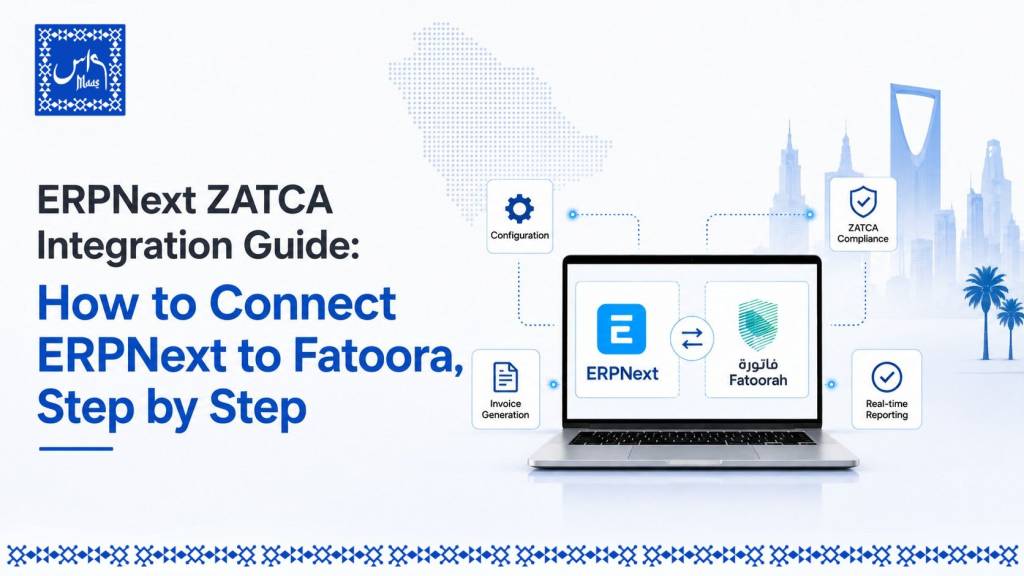
ERPNext ZATCA Integration Guide: How to Connect ERPNext to Fatoora, Step by Step
- ERPNext is not ZATCA-ready by default. A separate app or module handles CSR generation, cryptographic stamping, and submission to the Fatoora platform.
- Wave 24 brought the integration threshold down to SAR 375,000 in annual VAT-taxable revenue, with a hard deadline of 30 June 2026, which means thousands of small and mid-sized Saudi businesses are now in scope for the first time.
- The integration involves five technical milestones: CSR generation, Compliance CSID, compliance testing, Production CSID, and go-live.
- B2B and B2G invoices follow the clearance model, where ZATCA must approve the invoice before it can be shared with the buyer. B2C invoices follow the reporting model, where the invoice goes to the customer immediately and is reported to ZATCA within 24 hours.
- A correctly scoped ERPNext ZATCA project typically takes between two and six weeks for an SME, depending on data cleanliness, hosting setup, and the number of branches involved.
- Penalties for non-compliance range from SAR 5,000 for minor infractions to SAR 50,000 for failing to issue compliant e-invoices, with repeat violations escalating further.
Why This Matters Right Now
If your business generated more than SAR 375,000 in VAT-taxable revenue during 2022, 2023, or 2024, you fall under Wave 24 of ZATCA’s Integration Phase, and the deadline to complete this work is 30 June 2026. That threshold is the lowest ZATCA has ever set, which is why so many SMEs that assumed e-invoicing integration was “a big company problem” are discovering it is now their problem too.
I have walked more than 800 businesses through ZATCA compliance work over the past several years, and the pattern is almost always the same. A business owner hears about the deadline, panics slightly, searches for a quick fix, and finds either a developer-only GitHub README or a vague marketing page. Neither answers the actual question: what do I, specifically, running ERPNext, specifically, need to do? This guide is written to close that gap.
This article focuses specifically on ERPNext. If you want the full regulatory background on Phase 2, including penalties, invoice types, and the complete wave timeline, our ZATCA Phase 2 complete guide covers that in depth. If you are still deciding whether ERPNext is the right platform at all, our ERPNext implementation guide for Saudi Arabia is the better starting point.
What Is ZATCA Phase 2 Integration?
ZATCA Phase 2, also called the Integration Phase, requires VAT-registered businesses in Saudi Arabia to connect their invoicing system directly to ZATCA’s Fatoora platform. Unlike Phase 1, which only required generating structured electronic invoices, Phase 2 requires real-time or near-real-time communication with ZATCA: invoices must be transmitted, validated, cryptographically stamped, and in the case of business-to-business transactions, cleared before they can legally reach the buyer.
Where Does ERPNext Fit In?
ERPNext is the open source ERP platform built on the Frappe framework. It handles accounting, sales, inventory, and operations well, but it does not include ZATCA’s cryptographic stamping, UBL 2.1 XML generation, or Fatoora API communication natively. That functionality comes from a dedicated localization app, such as ERPGulf’s zatca_erpgulf or comparable certified modules, installed on top of your ERPNext instance. Without one of these apps installed and correctly configured, an ERPNext invoice has no legal standing under Phase 2.
Clearance Model vs Reporting Model
Understanding which model applies to which invoice type is the single most important concept before you touch any configuration screen, because it determines how your ERPNext workflow needs to behave.
| Aspect | Clearance Model (B2B / B2G) | Reporting Model (B2C) |
|---|---|---|
| Applies to | Standard tax invoices between businesses, or between business and government | Simplified tax invoices to individual consumers |
| When ZATCA sees it | Before the invoice reaches the buyer | After the invoice has already been issued |
| Time window | Real-time, within seconds in a well-built integration | Within 24 hours of issuance |
| What happens on rejection | Invoice cannot legally be delivered until corrected and resubmitted | Invoice must be corrected and re-reported |
| QR code requirement | Mandatory under Phase 2 | Mandatory under both Phase 1 and Phase 2 |
In practice, this means your ERPNext sales workflow needs to behave differently depending on customer type. A trading company invoicing another business needs the system to hold the invoice until ZATCA clears it. A retail outlet selling to walk-in customers needs the invoice to print or send immediately, with reporting happening in the background.
Before You Begin: Prerequisites Checklist
Have these ready before starting any technical step. Missing even one of these is the most common reason ERPNext ZATCA onboarding stalls midway.
- Your 15-digit VAT registration number
- Your Commercial Registration (CR) number
- Exact registered branch address and industry classification
- An active ERPNext instance (self-hosted or on Frappe Cloud) running a supported version
- Administrative access to install apps on your ERPNext bench, or a hosting partner who can do this for you
- Access to the Fatoora Portal to generate an OTP during onboarding
- A decision on your ZATCA environment: sandbox/simulation first, production second
How to Choose Your Integration Approach
There are three realistic paths to get ERPNext talking to ZATCA, and choosing the wrong one for your business size is where a lot of time gets wasted.
Path 1: Self-install an open source ZATCA app. Suitable if you have in-house technical staff comfortable with Frappe bench commands and you are running a single legal entity with straightforward invoicing. Lowest direct cost, highest internal effort.
Path 2: Use a paid or managed ZATCA module. Suitable if you want vendor support, faster setup, and ongoing updates as ZATCA changes its technical specifications, which it does periodically. Moderate cost, lower internal effort.
Path 3: Full-service implementation through an ERPNext partner. Suitable for multi-branch operations, businesses migrating from another system like TallyPrime, or anyone who wants the entire CSR-to-go-live process handled, tested, and documented by someone who has done it before. Highest upfront cost, lowest risk and lowest internal effort.
Most SMEs underestimate Path 1’s hidden cost: the staff time spent troubleshooting an “Invalid OTP” error or a rejected compliance check is rarely cheaper than paying for it to be done correctly once.
Step-by-Step: Integrating ERPNext with ZATCA Fatoora
Step 1: Install the ZATCA Compliance App
If you are on Frappe Cloud, install your chosen ZATCA app directly from the marketplace. If self-hosted, this is a bench-level installation:
bench --site yoursite.local install-app zatca_integration
bench --site yoursite.local migrate
After installation, verify it by navigating to Help > About in ERPNext and confirming the ZATCA app appears in the installed apps list.
Step 2: Enter Company and Tax Information
Inside the ZATCA settings doctype, enter your company’s registered legal name (in Arabic and English where required), your 15-digit VAT number, CR number, branch address, and industry classification. This information must match exactly what is registered with ZATCA, since mismatches are a leading cause of compliance check failures later.
Step 3: Generate the Certificate Signing Request (CSR)
The CSR is the technical request that identifies your specific ERPNext instance to ZATCA’s systems. Most ZATCA apps generate this automatically once your company details are entered correctly. If you operate multiple branches or legal entities, you will generate a separate CSR for each one.
Step 4: Generate the Compliance CSID
Log into the Fatoora Portal (using the simulation/sandbox environment first) and request an OTP. Use that OTP together with your CSR inside ERPNext to generate your Compliance CSID (CCSID). This certificate authorizes your system to run compliance tests, but it is not yet valid for live invoicing.
Step 5: Run Compliance Checks
Create and submit a set of test invoices, credit notes, and debit notes through ERPNext using the Compliance CSID. ZATCA’s sandbox will validate the XML structure, the cryptographic stamp, the QR code content, and the hash chain. Expect to fix small formatting issues here. This is normal and is exactly what the test phase exists to catch.
Step 6: Generate the Production CSID
Once compliance checks pass, request your Production CSID (PCSID). This is the certificate that authorizes live invoicing. It is valid for a defined period and must be renewed before expiry, which is one of the most commonly missed steps after go-live.
Step 7: Go Live
Switch your ZATCA environment setting from sandbox to production and enable Phase 2 e-invoicing for the company in ERPNext. From this point, B2B invoices route through the clearance workflow and B2C invoices route through the 24-hour reporting workflow automatically in the background, with no change to how your sales team enters invoices day to day.
Step 8: Monitor, Archive, and Renew
ZATCA requires invoice records, including UUIDs, hashes, and XML files, to be retained for a defined retention period. Set up regular reconciliation between ERPNext-issued invoices and what ZATCA’s portal shows as received, and calendar the PCSID renewal date well in advance.
Expert Insight
“The technical steps are the easy part once you know them. The part that actually breaks projects is data quality: a VAT number with a typo, a branch address that does not match the CR exactly, or a customer record missing a field that only becomes a problem the day you try to clear your first real invoice. I tell every client the same thing before we touch any CSR: clean your master data first.” — Mohamed Abdul Baseeth, Founder, Maas Consult Middle East Co. Over 16 years in ERP implementation, with direct involvement in more than 2,000 ERP rollouts and 800-plus ZATCA compliance projects across the Kingdom.
Case Study: A Riyadh Trading SME Under Wave 24
A wholesale trading business in Riyadh, generating roughly SAR 420,000 in annual VAT-taxable revenue, fell under Wave 24’s lowered threshold and had under three months to comply. The business was already running ERPNext for inventory and accounting but had never touched its e-invoicing settings, since earlier waves never applied to a company of this size.
The actual blocking issue was not the CSR or the CSID process. It was that roughly 15 percent of their customer records were missing complete VAT numbers, because those fields had never mattered for day-to-day operations before. Cleaning that data took longer than the entire technical onboarding. Once master data was corrected, CSR generation, compliance testing, and production go-live were completed in just under nine working days, comfortably inside the compliance window. The lesson generalizes well beyond this one business: the bottleneck in most ERPNext ZATCA projects is data hygiene, not API configuration.
Common Mistakes in ERPNext ZATCA Integration
- Entering company details that do not exactly match ZATCA’s records, causing repeated CSID rejections
- Generating the Production CSID before fully clearing compliance checks in the sandbox environment
- Treating B2B and B2C invoices identically in workflow configuration, when they require different timing logic
- Forgetting that the Production CSID has an expiry date and missing the renewal window
- Assuming a generic ZATCA app installation alone equals compliance, without testing actual invoice scenarios specific to the business (credit notes, multi-currency, retention amounts)
- Skipping a sandbox test phase entirely to “save time,” which usually costs more time later through live rejections
Best Practices
- Clean and validate customer and supplier master data before starting any ZATCA configuration work
- Always complete the full sandbox compliance cycle before requesting a Production CSID
- Assign one internal owner for the ZATCA integration project, even if an external partner handles the technical work, so renewal dates and audit questions have a clear point of contact
- Build a simple monthly reconciliation habit between ERPNext invoice counts and Fatoora portal records
- Document your CSR and CSID details securely; losing track of certificate expiry is a preventable but common compliance gap
Cost and ROI Considerations
There is no single fixed price for ERPNext ZATCA integration, since cost depends on hosting setup, number of branches, data cleanup effort, and whether you self-install an app or use a managed partner. What is consistent is the comparison: a properly scoped integration project is a one-time or low-recurring cost, while non-compliance penalties under ZATCA’s framework range from SAR 5,000 for minor violations up to SAR 50,000 per violation for failing to issue compliant e-invoices, with escalation for repeated breaches. Beyond direct fines, an unintegrated system also means you legally cannot issue valid B2B invoices, which directly affects your ability to collect payment from corporate clients. Framed that way, integration cost is closer to risk insurance than discretionary IT spend.
Industry-Specific Recommendations
| Business Type | Primary Invoice Model | Key Focus Area |
|---|---|---|
| Wholesale and trading | Clearance (B2B-heavy) | Real-time clearance reliability, multi-branch CSR management |
| Retail and F&B | Reporting (B2C-heavy) | 24-hour reporting automation, QR code generation at point of sale |
| Professional services | Clearance (B2B) | Customer VAT data accuracy, credit/debit note handling |
| Manufacturing and distribution | Mixed B2B/B2C | Inventory-linked invoicing accuracy, retention amount handling |
| Government contractors (B2G) | Clearance | Stricter clearance validation, longer audit retention discipline |
Final Thoughts
ERPNext can absolutely meet ZATCA Phase 2 requirements, and for many Saudi SMEs it is one of the most cost-effective ways to get there, since the open source core keeps licensing costs low while still supporting the full CSR-to-production workflow. The actual risk in most projects is not the regulation itself but underestimating the data cleanup and testing discipline the process demands. With Wave 24’s deadline landing on 30 June 2026 and the threshold now reaching businesses that never had to think about this before, the practical move is to start the prerequisite checklist this week rather than the week of the deadline.
Get ZATCA-Ready Before the Deadline
If you are running ERPNext and are not yet sure where you stand on Wave 24, the fastest way to find out is a short compliance assessment rather than guesswork. Maas Consult has guided more than 800 Saudi businesses through ZATCA compliance and over 2,000 ERP implementations across the Kingdom and the wider GCC. Whether you need the technical integration handled end to end, a second opinion on a project that has stalled, or a broader digital transformation roadmap that includes ZATCA as one piece, reach out to request a ZATCA compliance assessment or schedule a discovery call.
FAQs
Does ERPNext support ZATCA Phase 2 e-invoicing? Yes, through a dedicated ZATCA localization app installed on top of ERPNext. ERPNext does not include this capability by default; it requires installation and configuration of a compliant app to generate CSRs, handle cryptographic stamping, and communicate with the Fatoora platform.
How do I integrate ERPNext with ZATCA Fatoora? The process runs through five technical milestones: generate a CSR with your company’s tax details, obtain an OTP from the Fatoora Portal to generate a Compliance CSID, run compliance checks with test invoices, generate a Production CSID once tests pass, and then enable live invoicing.
How much does ERPNext ZATCA integration cost in Saudi Arabia? Cost varies based on hosting, number of branches, data cleanup needs, and whether you self-install an open source app or use a managed implementation partner. The more relevant comparison is against penalty exposure, which ranges from SAR 5,000 to SAR 50,000 per violation for non-compliance.
How long does ERPNext ZATCA integration take? A well-prepared SME with clean master data can typically complete the full process, from CSR generation to production go-live, in one to three weeks. Projects with significant data cleanup or multiple branches often take four to six weeks.
Do I need a developer to integrate ERPNext with ZATCA? Basic installation of a ZATCA app can be done by someone comfortable with Frappe bench commands, but correct configuration, data validation, and handling edge cases like multi-branch setups or credit notes benefit significantly from someone with direct ZATCA implementation experience.
What happens if my ERPNext invoice fails ZATCA validation? For B2B invoices under the clearance model, a rejected invoice cannot legally be delivered to the buyer until it is corrected and resubmitted. For B2C invoices under the reporting model, a rejection after delivery requires issuing a corrected invoice and re-reporting it within the compliance window.
Is ERPNext free for ZATCA compliance purposes? ERPNext’s core platform is open source, but ZATCA compliance specifically requires a separate app or module, which may be free and open source, paid, or bundled into a managed implementation service depending on which option you choose.
What is the difference between a Compliance CSID and a Production CSID? The Compliance CSID authorizes sandbox testing only and cannot be used for live, legally valid invoices. The Production CSID is issued after compliance checks pass and is the certificate required for actual production invoicing with ZATCA.
Does Wave 24 affect small businesses using ERPNext? Yes. Wave 24 lowered the integration threshold to SAR 375,000 in VAT-taxable revenue across 2022, 2023, or 2024, with a deadline of 30 June 2026, bringing a significant number of smaller businesses into scope for the first time.
Can ERPNext handle both B2B clearance and B2C reporting in the same system? Yes, a properly configured ZATCA app for ERPNext routes B2B and B2G invoices through the clearance workflow and B2C invoices through the 24-hour reporting workflow within the same instance, based on customer type.


4 Comments